Introduction Human Resource Management System (HRMS) software is a digital solution designed to help organizations manage and
 By Pay GURU
June 23, 2026
By Pay GURU
June 23, 2026
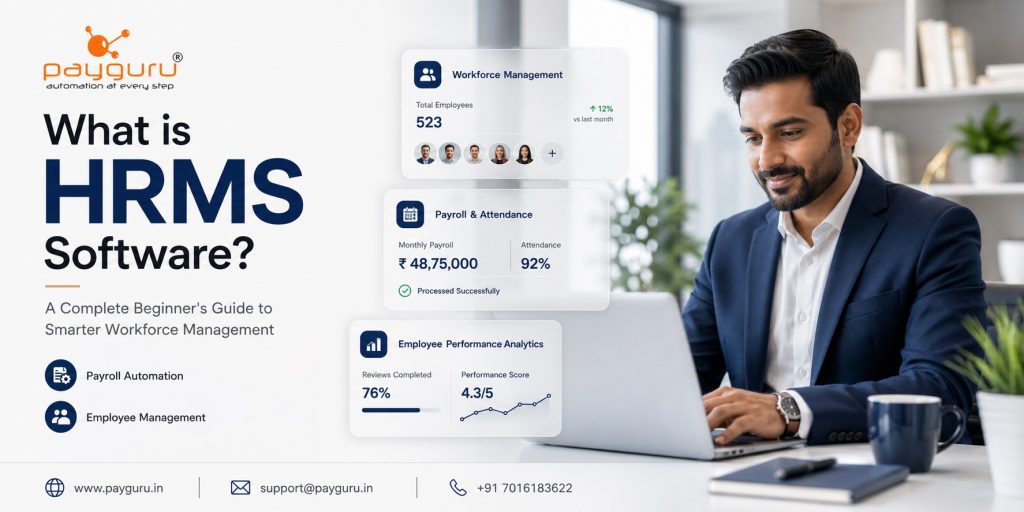
Human Resource Management System (HRMS) software is a digital solution designed to help organizations manage and automate core HR functions such as employee records, payroll, attendance, leave management, recruitment, performance tracking, and compliance.
In simple terms, HRMS software acts as a centralized platform where businesses can handle employee-related processes more efficiently while reducing manual paperwork and administrative effort.
As organizations grow, managing employee information through spreadsheets and manual processes becomes increasingly difficult. HRMS software helps businesses streamline operations, improve accuracy, enhance employee experience, and provide better visibility into workforce data.
Whether you are a small business owner, HR professional, startup founder, or enterprise decision-maker, understanding how HRMS software works can help you make informed decisions about workforce management and operational efficiency.
This beginner’s guide explains everything you need to know about HRMS software, including its features, benefits, challenges, use cases, implementation best practices, and key factors to consider before choosing a solution.
HRMS stands for Human Resource Management System.
It is a software platform that combines various human resource functions into a single system, allowing organizations to manage employee information, automate routine tasks, and improve HR operations.
Instead of maintaining separate systems for payroll, attendance, leave tracking, and employee records, an HRMS brings everything together in one centralized database.
The primary goal of HRMS software is to simplify workforce management while improving efficiency, accuracy, compliance, and employee engagement.
HRMS software collects, stores, and manages employee-related information within a centralized platform. Employees, managers, HR teams, and administrators can access relevant information based on their permissions.
A typical workflow includes:
This integrated approach reduces duplication, improves data accuracy, and provides real-time visibility into workforce operations.
This feature serves as a digital employee database.
It stores:
HR teams can quickly access and update employee records whenever required.
Payroll is one of the most important functions within an HRMS.
Common capabilities include:
Automating payroll reduces errors and saves significant administrative time.
Attendance management helps organizations monitor employee working hours.
Features often include:
This information often feeds directly into payroll calculations.
Leave management allows employees to request time off through a self-service portal.
HRMS software can manage:
Approval workflows help ensure consistency and transparency.
Many HRMS solutions include recruitment tools that help organizations manage hiring processes.
Features may include:
This helps organizations streamline talent acquisition.
Performance management tools help organizations evaluate and improve employee performance.
Typical features include:
These tools support employee growth and organizational productivity.
Employee self-service functionality empowers employees to manage many HR-related tasks independently.
Employees can typically:
This reduces administrative workload for HR departments.
Modern HRMS software provides workforce insights through dashboards and reports.
Examples include:
Data-driven insights support better decision-making.
Focuses on day-to-day HR activities such as:
Supports workforce planning and talent management activities.
Examples include:
Helps organizations align workforce strategies with business objectives.
Examples include:
Hosted online and accessible from anywhere with an internet connection.
Benefits include:
Installed and managed within an organization’s own infrastructure.
Benefits include:
Automation reduces repetitive manual tasks, allowing HR teams to focus on strategic initiatives.
Automated calculations and centralized data minimize mistakes related to payroll, attendance, and employee records.
Self-service tools make HR processes faster and more convenient for employees.
Real-time reporting and analytics provide valuable workforce insights.
HRMS software helps organizations maintain records and manage statutory obligations more effectively.
Centralized systems often include access controls, audit trails, and data protection mechanisms.
As businesses grow, HRMS software helps manage increasing workforce complexity without significantly increasing administrative workload.
HRMS software is useful for organizations of all sizes.
Benefits include:
Benefits include:
Benefits include:
Benefits include:
HRMS software helps automate onboarding processes by managing documentation, approvals, and employee setup activities.
Organizations use HRMS systems to calculate salaries and generate payroll reports efficiently.
Cloud-based HRMS platforms help organizations manage distributed teams through digital attendance and employee self-service tools.
Managers can conduct structured performance evaluations and track employee goals throughout the year.
Organizations can securely maintain employment records and compliance-related documents.
While HRMS software offers many advantages, implementation may present challenges.
Common challenges include:
Organizations can minimize these challenges through careful planning and stakeholder involvement.
Selecting the right HRMS solution requires evaluating organizational needs and future growth plans.
Consider the following factors:
Identify the HR functions you want to automate.
Choose a system with an intuitive and user-friendly interface.
Ensure the software can support future workforce growth.
Verify compatibility with payroll, accounting, attendance, and other business systems.
Look for:
Mobile access improves convenience for employees and managers.
Reliable customer support and implementation assistance are important for long-term success.
To maximize value from an HRMS implementation:
Organizations that follow these practices typically experience smoother implementation and higher user adoption.
The HR technology landscape continues to evolve.
Emerging trends include:
These innovations aim to improve efficiency while creating more personalized employee experiences.
HRMS stands for Human Resource Management System. It is software used to manage and automate HR functions within an organization.
The primary purpose is to streamline HR operations, automate repetitive tasks, and centralize employee information.
Yes. Many HRMS solutions are designed specifically for small and growing businesses that want to automate payroll, attendance, and employee management.
Payroll software focuses mainly on salary processing, while HRMS software covers a broader range of HR functions including payroll, attendance, leave management, recruitment, and performance management.
Yes. Most HRMS systems include attendance management features such as biometric integration, shift scheduling, and time tracking.
Reputable cloud-based HRMS providers typically implement security measures such as encryption, access controls, and regular backups.
HRMS software is used across industries including manufacturing, healthcare, retail, education, information technology, hospitality, and professional services.
Implementation timelines vary depending on company size, customization needs, and data migration requirements.
Yes. Most modern HRMS platforms provide employee self-service portals for leave requests, payslips, attendance records, and personal information updates.
Businesses should evaluate features, scalability, security, ease of use, integration capabilities, support services, and overall business requirements.
HRMS software has become an essential tool for organizations seeking to improve workforce management, reduce administrative burdens, and create more efficient HR operations. By centralizing employee information and automating key processes such as payroll, attendance, leave management, recruitment, and performance tracking, businesses can save time, improve accuracy, and make more informed decisions.
Whether you are a startup, small business, or large enterprise, selecting the right HRMS solution can significantly enhance both HR efficiency and employee experience. Understanding your organizational needs, evaluating available features, and following implementation best practices will help ensure long-term success.
Looking for a smarter way to manage your workforce?
Explore PayGURU HRMS Software and discover how automation can simplify HR operations, payroll, attendance, and employee management.