Introduction Human Resource Management Systems (HRMS) have become an essential part of modern business operations. As
 By Pay GURU
June 27, 2026
By Pay GURU
June 27, 2026
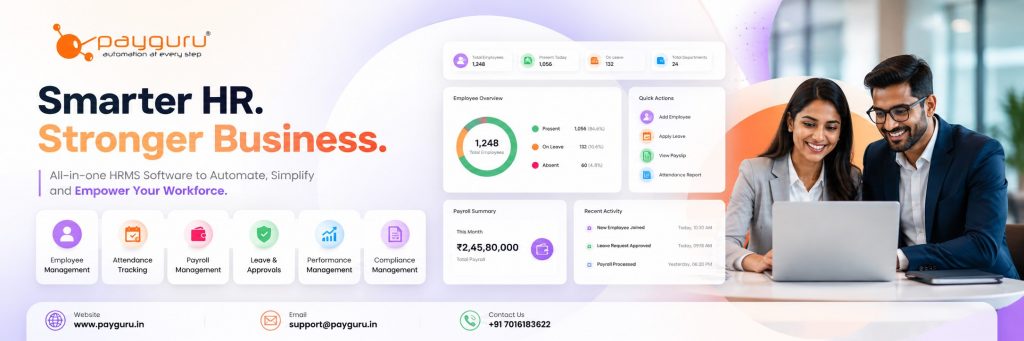
Human Resource Management Systems (HRMS) have become an essential part of modern business operations. As organizations continue to embrace digital transformation, managing employee records, payroll, attendance, leave, performance, compliance, and workforce analytics through a centralized platform is no longer optional.
The best HRMS software in India helps businesses automate repetitive HR tasks, improve employee experience, ensure statutory compliance, and provide real-time workforce insights. Whether you are a startup, SME, or large enterprise, choosing the right HRMS can significantly improve operational efficiency and decision-making.
This 2026 comparison guide explores the key features, benefits, and evaluation criteria for selecting HRMS software in India. It also compares leading solutions and highlights what organizations should consider before making an investment.
HRMS software is a digital platform that combines multiple human resource functions into a single system. It helps organizations manage employee information, payroll, attendance, recruitment, leave management, performance tracking, and compliance requirements.
Instead of handling HR activities through spreadsheets and manual processes, businesses can automate workflows and maintain accurate employee records through a centralized platform.
Organizations face increasing challenges in workforce management, especially with hybrid work models, compliance requirements, and growing employee expectations.
An HRMS helps businesses:
A good HRMS should maintain a centralized employee database that stores:
Payroll remains one of the most critical HR functions. The software should support:
Modern HRMS platforms integrate with biometric devices, mobile applications, and web-based attendance systems to monitor employee working hours accurately.
Employees should be able to:
Self-service portals reduce HR workload by allowing employees to manage personal information, attendance records, payslips, and leave requests independently.
Advanced HRMS solutions include:
Indian businesses must comply with various regulations, including:
A robust HRMS helps automate compliance-related activities and reporting.
| HRMS Solution | Best For | Payroll | Attendance | Employee Self-Service | Compliance Support |
|---|---|---|---|---|---|
| PayGURU HRMS | SMEs and Enterprises | Yes | Yes | Yes | Yes |
| Keka | Growing Businesses | Yes | Yes | Yes | Yes |
| Zoho People | Small and Mid-Sized Businesses | Available with integration | Yes | Yes | Moderate |
| greytHR | SMEs | Yes | Yes | Yes | Yes |
| Darwinbox | Large Enterprises | Yes | Yes | Yes | Yes |
| SAP SuccessFactors | Large Corporations | Yes | Yes | Yes | Advanced |
Organizations should evaluate software based on business requirements, scalability, support, and integration capabilities.
Every organization has unique HR needs. Consider:
The software should support future growth without requiring frequent platform changes.
An HRMS should integrate with:
A user-friendly interface encourages adoption among employees and HR teams.
Employee data is sensitive and must be protected through:
Reliable customer support and implementation assistance can significantly impact long-term success.
Automation reduces manual administrative work and allows HR teams to focus on strategic initiatives.
Automated calculations minimize payroll and attendance errors.
Employees gain quick access to information through self-service portals.
Real-time reporting and workforce analytics help management make informed decisions.
Automated compliance processes reduce the risk of penalties and reporting errors.
Even the best HRMS implementation can face obstacles.
Some employees may be hesitant to adopt new technology.
Transferring historical employee data requires planning and validation.
Organizations often need to streamline HR processes before automation.
Employees and HR staff require proper onboarding and training to maximize software benefits.
To maximize return on investment:
HRMS is a comprehensive system that combines multiple HR functions such as payroll, attendance, employee records, and performance management into a single platform.
Yes. Many HRMS solutions are designed specifically for startups and SMEs, helping them automate HR operations without large administrative teams.
Most modern HRMS platforms support integration with biometric devices and other attendance tracking technologies.
Yes. Many HRMS solutions support compliance requirements related to PF, ESI, TDS, professional tax, and labor regulations.
Implementation timelines vary based on company size, data complexity, customization needs, and integration requirements.
Cloud-based HRMS solutions generally offer easier deployment, remote accessibility, automatic updates, and lower infrastructure requirements.
Manufacturing, IT, healthcare, retail, education, logistics, hospitality, and professional services can all benefit from HRMS implementation.
Businesses should focus on functionality, ease of use, scalability, compliance support, integration capabilities, security, and vendor support.
Choosing the best HRMS software in India requires more than comparing feature lists. Organizations should evaluate business requirements, compliance needs, workforce size, growth plans, and integration requirements before making a decision.
A well-implemented HRMS can streamline operations, improve employee experiences, strengthen compliance management, and provide valuable workforce insights. As businesses continue to modernize HR processes in 2026, investing in the right HRMS platform can create a strong foundation for sustainable growth and workforce management.
Looking for a comprehensive HRMS, payroll, attendance, and workforce management solution? Explore PayGURU HRMS Software to simplify HR operations and support business growth.