Introduction Cloud-based HRMS software is a modern human resource management solution that helps organizations manage employee
 By Pay GURU
July 14, 2026
By Pay GURU
July 14, 2026
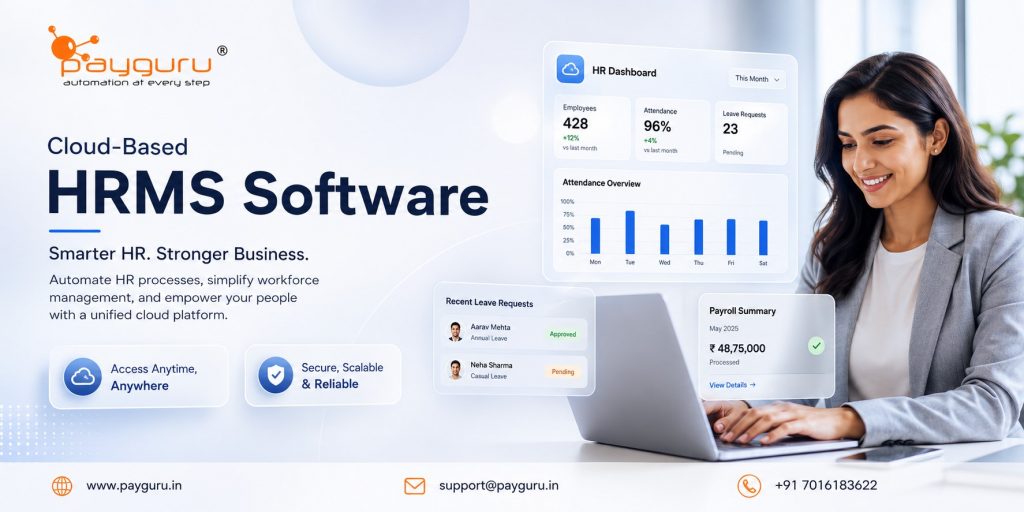
Cloud-based HRMS software is a modern human resource management solution that helps organizations manage employee data, payroll, attendance, leave, recruitment, performance, and compliance through an online platform hosted on secure cloud servers. Unlike traditional on-premise systems that require local installation and ongoing infrastructure management, cloud HRMS solutions can be accessed anytime and from anywhere through an internet connection.
As businesses continue to embrace digital transformation, managing human resources efficiently has become a strategic priority. Companies of all sizes are looking for ways to streamline HR operations, improve employee experiences, reduce administrative workload, and make data-driven decisions. Cloud-based HRMS software addresses these needs by bringing all HR functions into a centralized platform that is scalable, secure, and easy to maintain.
Whether you run a small business, a growing startup, or a large enterprise, a cloud HRMS can help automate routine processes, improve workforce visibility, and support business growth. This article explores the key benefits, features, use cases, challenges, and best practices associated with cloud-based HRMS software.
Cloud-based HRMS software is a web-based Human Resource Management System that stores and processes HR data on remote servers managed by a service provider. Users access the system through a browser or mobile application without installing software on local computers.
The platform typically combines various HR functions into a single system, including:
Businesses subscribe to the software through a monthly or annual plan, making it a cost-effective alternative to traditional HR systems.
A cloud HRMS centralizes employee and HR data in a secure online environment. Authorized users can access the system based on predefined roles and permissions.
A typical workflow includes:
Solutions such as HRMS software help organizations manage multiple HR functions from a unified platform while reducing manual intervention.
One of the biggest advantages of cloud HRMS software is accessibility. HR teams, managers, and employees can access the system from any location using desktops, laptops, tablets, or smartphones.
This flexibility is particularly valuable for:
Manual HR processes consume significant time and resources. Cloud HRMS software automates routine tasks such as:
Automation allows HR professionals to focus on strategic initiatives instead of repetitive administrative work.
Manual data entry often leads to errors that affect payroll, attendance records, and employee information.
Cloud HRMS systems reduce errors through:
Improved accuracy contributes to better decision-making and employee satisfaction.
As organizations grow, HR requirements become more complex. Cloud-based HRMS platforms can scale easily to accommodate:
Businesses can increase functionality without major infrastructure investments.
Modern employees expect digital convenience in workplace interactions.
Cloud HRMS software enables employees to:
Self-service capabilities reduce dependency on HR teams and improve employee engagement.
Organizations must comply with labor laws, tax regulations, and employment policies.
Cloud HRMS systems support compliance by:
This reduces compliance risks and administrative burden.
Traditional HR software often requires:
Cloud solutions eliminate many of these costs through subscription-based pricing models.
A centralized employee database serves as the foundation of an HRMS.
Key capabilities include:
Payroll remains one of the most critical HR functions.
Modern payroll solutions such as Payroll Software can automate:
This improves accuracy while reducing processing time.
Accurate attendance tracking supports workforce productivity and payroll accuracy.
Features often include:
Organizations can also integrate dedicated Time and Attendance Management Systems with their HRMS platform.
Leave management modules simplify employee absence tracking.
Common features include:
Self-service portals empower employees to manage routine HR tasks independently.
Employees can:
Cloud HRMS software often includes recruitment tools that streamline hiring processes.
Features may include:
Performance management helps organizations align employee goals with business objectives.
Capabilities may include:
Data-driven HR decisions depend on reliable reporting capabilities.
Cloud HRMS reporting tools can provide insights into:
Many organizations compare cloud and on-premise HR systems before making a decision.
Cloud HRMS offers:
Traditional on-premise systems offer:
For most modern businesses, cloud HRMS solutions provide greater flexibility, faster implementation, and lower maintenance requirements.
Small businesses use cloud HRMS to automate essential HR functions without investing heavily in infrastructure.
Rapidly growing organizations rely on cloud systems to manage workforce expansion efficiently.
Centralized HR management helps maintain consistency across multiple offices and branches.
Cloud accessibility supports employees and managers working from different locations.
Large organizations use cloud HRMS platforms to standardize HR operations and improve workforce visibility.
While cloud HRMS offers significant benefits, organizations may encounter challenges during implementation.
Moving employee records from legacy systems requires careful planning and validation.
Employees and managers may need training to fully utilize the new platform.
Organizations often need to review and standardize HR processes before implementation.
Businesses may require integrations with:
Proper planning helps minimize implementation challenges.
Identify business goals before selecting an HRMS solution.
Engage HR teams, managers, IT personnel, and leadership during the evaluation process.
Choose software that is intuitive and easy to use.
Verify that the provider follows industry-standard security practices and access controls.
Select a solution that can support future business growth.
Regularly evaluate system performance and user adoption metrics.
When evaluating cloud HRMS solutions, consider:
Businesses looking to modernize HR operations should assess how well a platform aligns with their current and future workforce management needs.
For organizations exploring HR digitization, resources such as What Is HRMS Software? Complete Guide for Beginners can provide additional insights into implementation and functionality.
Cloud-based HRMS software is an online human resource management platform that helps organizations manage employee data, payroll, attendance, leave, recruitment, and other HR functions through a centralized system.
Yes. Cloud HRMS solutions are often ideal for small businesses because they reduce infrastructure costs, automate administrative tasks, and support business growth.
Most reputable providers implement security measures such as data encryption, role-based access controls, secure hosting environments, and regular backups.
Yes. Many cloud HRMS platforms integrate with payroll, accounting, attendance, and ERP systems to streamline data flow and reduce manual work.
Employee self-service allows staff to access payslips, update personal information, apply for leave, and view attendance records without HR intervention.
Yes. Employees and managers can access the system from virtually any location with internet connectivity.
Implementation timelines vary depending on company size, data migration requirements, integrations, and customization needs.
Cloud-based HRMS software has become an essential tool for organizations seeking to improve workforce management, enhance employee experiences, and increase operational efficiency. By centralizing HR functions into a secure and scalable platform, businesses can automate routine processes, improve data accuracy, support compliance, and make better strategic decisions.
As workforce expectations continue to evolve, investing in the right HRMS solution can help organizations stay competitive, agile, and prepared for future growth.
Ready to simplify HR operations and improve workforce management?