Human resource technology has evolved rapidly over the last decade, giving businesses access to powerful digital tools that
 By Pay GURU
July 20, 2026
By Pay GURU
July 20, 2026
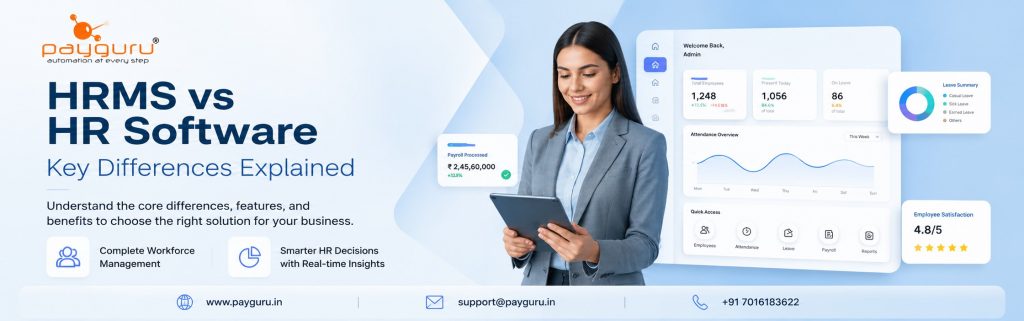
Human resource technology has evolved rapidly over the last decade, giving businesses access to powerful digital tools that simplify workforce management. During the search for the right solution, many decision makers come across two terms that are often used interchangeably: HRMS and HR software.
Although they sound similar, they are not always the same. HR software is a broad category that includes any application designed to support HR functions. An HRMS, or Human Resource Management System, is a more comprehensive platform that integrates multiple HR processes into a single system.
Understanding this distinction is important because selecting the wrong type of solution can lead to limited functionality, manual work, and higher long term costs. Whether you run a startup, a growing SME, or a large enterprise, knowing what each system offers helps you invest in technology that supports your workforce and business goals.
This guide explains the differences between HRMS and HR software, their features, benefits, use cases, challenges, and how to choose the right solution for your organization.
HR software refers to any digital application that helps organizations manage one or more human resource functions.
Depending on the product, HR software may focus on a single task or a small group of HR activities, such as:
Some HR software products specialize in one function only. For example, payroll software calculates salaries, while applicant tracking software focuses on recruitment.
In other words, HR software is an umbrella term that covers many different HR solutions.
To understand how modern workforce solutions are evolving, visit the PayGURU homepage, which provides an overview of integrated HR, payroll, attendance, and workforce management solutions.
A Human Resource Management System (HRMS) is a centralized platform that combines multiple HR functions into one integrated solution.
Instead of using separate applications for payroll, attendance, employee records, and leave management, an HRMS brings these processes together.
Typical HRMS modules include:
Because information flows across modules automatically, HR teams avoid duplicate data entry and improve operational accuracy. Modern HRMS platforms are designed to centralize employee data, integrate attendance with payroll, support compliance, and provide reporting from a single system.
The easiest way to understand the difference is this:
For example:
A company may purchase:
Each application works independently.
An HRMS combines these capabilities so that employee information entered once is automatically available across every module.
This creates a single source of truth for HR operations.
HR Software: Usually focuses on specific HR functions.
HRMS: Covers complete workforce management.
HR Software: May require manual data transfer between systems.
HRMS: Automatically shares employee data across modules.
HR Software: Automation is often limited to one process.
HRMS: Automates workflows across departments.
HR Software: Reports are generally module specific.
HRMS: Provides organization wide dashboards and workforce analytics.
HR Software: Suitable for businesses with limited HR needs.
HRMS: Designed to support business growth and expanding workforces.
Depending on the application, HR software may include:
Maintain digital employee files.
Track working hours using biometric devices, mobile apps, or web portals.
Employees submit leave requests digitally.
Calculate salaries and generate payslips.
Manage job postings and candidate information.
Conduct employee evaluations.
These features work well for organizations that only need a few HR functions.
An HRMS expands these capabilities by integrating them into one system.
Maintain employee information in one secure location.
Attendance, overtime, leave, reimbursements, and deductions automatically contribute to payroll processing.
Learn more about integrated payroll capabilities on the PayGURU Payroll page.
Integrates with biometric devices, facial recognition, RFID systems, and mobile attendance.
Employees can:
Supports statutory compliance by maintaining employee records and generating required reports.
HR managers gain real time visibility into workforce trends and operational metrics.
Businesses with simple HR requirements often benefit from standalone HR software because it offers:
Organizations with growing workforces gain additional advantages.
Data entered once updates across multiple modules.
Routine administrative work becomes automated.
Integrated workflows help reduce compliance related errors.
Employees can complete many HR tasks independently through self service portals.
Comprehensive reporting supports workforce planning.
Integrated HRMS platforms help reduce duplicate data entry, improve payroll accuracy, streamline attendance management, and provide better visibility into workforce operations.
Standalone HR software may be the right choice if:
An HRMS is often better suited if your organization:
Imagine two businesses.
Uses:
HR staff manually transfer attendance into payroll every month.
Uses an HRMS.
Whether implementing HR software or an HRMS, organizations should prepare for:
Planning these activities early helps achieve smoother adoption.
Before selecting any HR technology, consider the following:
List existing HR pain points.
Determine whether you need automation, compliance, analytics, or scalability.
Ensure the software connects with payroll, attendance, ERP, or accounting systems where required.
Choose software that supports business expansion.
An intuitive interface improves adoption across HR teams and employees.
Reliable implementation and ongoing support contribute to long term success.
For organizations evaluating a comprehensive HRMS, the PayGURU HRMS solution outlines features such as centralized employee management, attendance integration, workflow approvals, compliance support, and reporting.
There is no universal answer.
The right choice depends on:
For small organizations with limited requirements, standalone HR software may be sufficient.
For growing businesses seeking automation, centralized data, and long term scalability, an HRMS often provides greater operational value.
HR software refers to any application that supports HR activities, while an HRMS is a fully integrated platform that manages multiple HR functions from one system.
Yes. Many modern HRMS solutions are scalable and can support startups, SMEs, and large enterprises as they grow.
Most HRMS platforms include payroll or integrate closely with payroll software to automate salary processing and related workflows.
Many attendance solutions and HRMS platforms support biometric integration for accurate time tracking.
Organizations expecting workforce growth generally benefit more from an HRMS because it centralizes data and automates multiple HR processes.
Yes. Many HRMS platforms include compliance management features that help organizations maintain employee records and support statutory reporting.
Understanding the difference between HRMS and HR software helps organizations make smarter technology investments. While standalone HR software can effectively address specific tasks, an HRMS delivers a unified platform that connects employee data, payroll, attendance, compliance, and reporting into one streamlined system.
Businesses should evaluate their current HR challenges, future growth plans, and operational requirements before making a decision. A solution that aligns with both present and future needs can improve efficiency, enhance employee experience, and simplify workforce management.
Looking for an integrated HRMS and payroll solution for your business?
Contact PayGURU today to discuss your workforce management requirements with our team.