A Complete Guide to Human Resource Management Systems Introduction Managing employees efficiently is one of the biggest
 By Pay GURU
August 03, 2026
By Pay GURU
August 03, 2026
A Complete Guide to Human Resource Management Systems
Managing employees efficiently is one of the biggest challenges for businesses of all sizes. As organizations grow, handling recruitment, employee records, attendance, payroll, leave management, performance tracking, and compliance manually becomes time-consuming and prone to errors. This is where a Human Resource Management System (HRMS) plays a vital role.
An Human Resource Management System (HRMS) is a digital solution that helps organizations automate and streamline HR processes while improving employee experience and operational efficiency. Instead of maintaining spreadsheets or paperwork, businesses can manage their entire workforce through a centralized platform.
Whether you’re a startup, a growing business, or a large enterprise, implementing the right Human Resource Management System (HRMS) can help reduce administrative work, improve productivity, ensure compliance, and support informed decision-making.
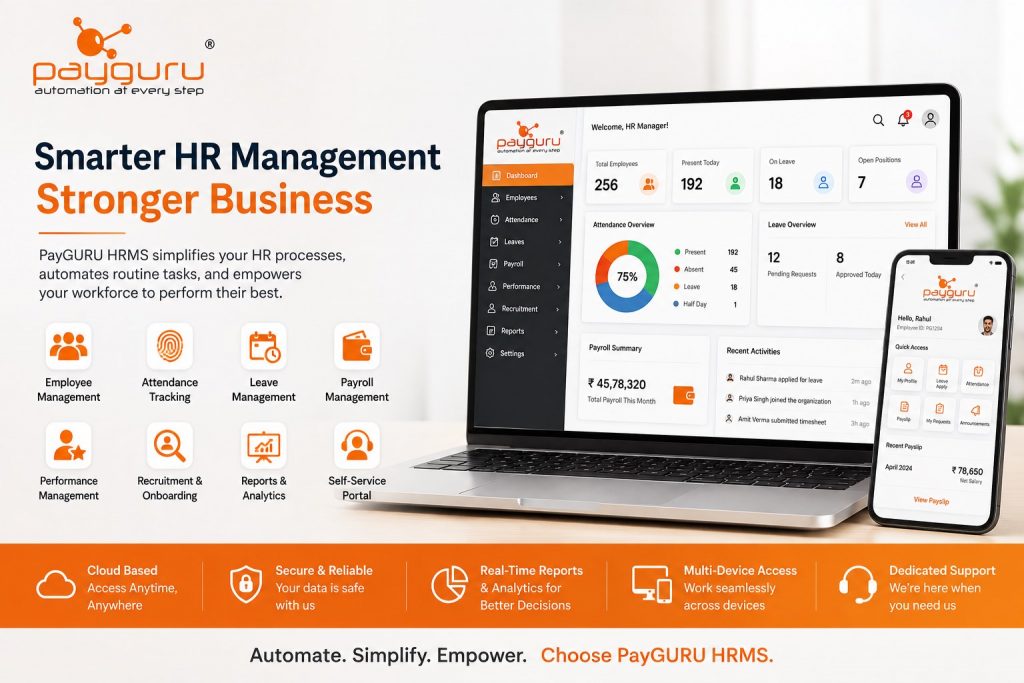
PayGURU HRMS is a comprehensive cloud-based solution designed to simplify HR operations. It combines employee management, attendance tracking, leave management, payroll integration, performance monitoring, and reporting into a single platform, helping organizations manage their workforce with confidence.
A Human Resource Management System (HRMS) is software that enables organizations to manage every stage of the employee lifecycle—from hiring and onboarding to attendance, payroll, performance management, and employee separation.
Instead of using multiple systems for different HR functions, an Human Resource Management System (HRMS) brings everything together in one secure, centralized platform. This improves data accuracy, reduces manual work, and gives HR teams instant access to employee information whenever needed.
Modern HRMS platforms are cloud-based, allowing HR professionals, managers, and employees to access information securely from anywhere using desktops, laptops, tablets, or smartphones.
Employees are the backbone of every successful organization. As teams grow, HR departments face increasing responsibilities, including recruitment, attendance monitoring, payroll processing, compliance, training, and employee engagement.
Without an HRMS, these activities often rely on spreadsheets, paper records, or disconnected software, leading to delays, duplicate work, and costly errors.
An HRMS helps organizations:
By reducing administrative workload, HR professionals can focus on strategic initiatives such as employee development, engagement, and organizational growth.
An HRMS serves as a central repository for employee information. Once employee details are entered into the system, different HR functions can securely access and update relevant information based on user permissions.
For example:
This integrated workflow eliminates duplicate data entry while ensuring consistent information across departments.
An HRMS securely stores employee details, including contact information, employment history, qualifications, documents, emergency contacts, and organizational hierarchy. Having all records in one place makes information retrieval fast and reliable.
Attendance tracking becomes significantly easier with automated check-in and check-out records. Integration with biometric devices, RFID systems, or mobile attendance reduces manual intervention and improves accuracy.
Organizations can monitor:
Managing leave manually often results in confusion and delays. An HRMS automates leave requests, approvals, leave balances, holiday calendars, and leave policies.
Employees can submit leave applications online, while managers receive notifications for approval, ensuring a faster and more transparent process.
Payroll is one of the most critical HR functions. An HRMS integrated with payroll helps automate salary calculations by considering attendance, leave, overtime, incentives, reimbursements, deductions, and statutory requirements.
This reduces calculation errors and helps organizations process salaries on time.
Hiring new employees involves multiple steps, from posting vacancies and screening candidates to interviews and onboarding.
An HRMS simplifies recruitment by allowing HR teams to:
A smooth onboarding experience helps new employees become productive more quickly.
Employee Self-Service empowers employees to access HR services without relying on the HR department for every request.
Through a secure portal, employees can:
This reduces HR workload while improving employee satisfaction.
Managers require quick access to workforce information for effective decision-making.
Manager Self-Service enables supervisors to:
This speeds up approvals and improves operational efficiency.
A modern HRMS consists of several interconnected modules that work together to simplify workforce management.
Maintains employee records, organizational structure, job roles, departments, and compliance documents.
Tracks employee attendance, shifts, overtime, holidays, and working hours while integrating with biometric devices and mobile attendance systems.
Automates leave applications, approvals, balances, and leave policies for greater transparency.
Processes salaries accurately by incorporating attendance, overtime, deductions, bonuses, reimbursements, and statutory compliance.
Supports goal setting, appraisals, performance reviews, feedback, and employee development planning.
Helps HR teams manage the hiring process efficiently, from job postings to onboarding.
Tracks employee training programs, certifications, skills, and learning progress to support workforce development.
Provides dashboards and real-time reports on workforce trends, attendance, attrition, leave utilization, payroll, and overall HR performance.
Automation reduces repetitive manual work, allowing HR teams to focus on strategic initiatives instead of paperwork.
Automated calculations and centralized data minimize human errors in payroll, attendance, and employee records.
Self-service portals make it easy for employees to access information, request leave, download payslips, and stay informed without unnecessary delays.
An HRMS helps organizations maintain employment records, statutory documentation, and audit trails, making compliance easier to manage.
Real-time dashboards and reports provide valuable insights into workforce performance, absenteeism, turnover, and productivity, helping leaders make data-driven decisions.
The terms HRMS, HRIS, and HCM are often used interchangeably, but they have distinct meanings.
| Solution | Primary Focus | Best For |
|---|---|---|
| HRIS (Human Resource Information System) | Stores and manages employee information, attendance, leave, and basic HR records. | Small and growing businesses |
| HRMS (Human Resource Management System) | Combines HR administration with payroll, attendance, recruitment, performance, and employee self-service. | Businesses seeking end-to-end HR automation |
| HCM (Human Capital Management) | Includes all HRMS capabilities along with talent management, succession planning, workforce planning, and employee development. | Large enterprises with advanced HR strategies |
For most organizations, an HRMS provides the ideal balance of functionality, scalability, and ease of use. It supports daily HR operations while giving managers the tools they need to improve workforce productivity.
Selecting the right HRMS is an important decision that can have a long-term impact on your organization. Before choosing a solution, evaluate your current HR processes, future business goals, and workforce requirements.
Identify the challenges your HR team faces. Whether it’s manual payroll, attendance tracking, recruitment, or employee record management, choose an HRMS that addresses your specific requirements.
A single platform that combines attendance, leave, payroll, recruitment, performance management, and employee self-service reduces complexity and eliminates duplicate data entry.
Cloud HRMS solutions provide secure access from anywhere, automatic updates, and reduced IT maintenance costs. They are especially beneficial for organizations with multiple offices or remote employees.
Your HRMS should integrate smoothly with biometric attendance systems, payroll, accounting software, ERP platforms, and other business applications.
A simple and intuitive interface encourages adoption by HR teams, managers, and employees, reducing training time and improving efficiency.
Employee information is highly confidential. Look for a solution with role-based access, secure data storage, regular backups, and strong security practices.
Comprehensive dashboards and customizable reports help HR leaders monitor attendance, payroll, leave trends, employee performance, and workforce analytics.
Reliable implementation assistance, product training, and responsive technical support are essential for maximizing the value of your HRMS investment.
Managing HR processes shouldn’t be complicated. PayGURU HRMS is designed to simplify workforce management by bringing essential HR functions into one powerful platform.
Whether you’re managing a small team or a large workforce across multiple locations, PayGURU helps streamline operations, improve accuracy, and save valuable time.
Maintain complete employee profiles, employment history, documents, department details, and organizational structure from a centralized dashboard.
Track attendance in real time, manage multiple shifts, integrate with biometric devices, monitor overtime, and automate leave requests and approvals.
PayGURU integrates HR data with payroll processes, reducing manual calculations and helping ensure timely salary processing.
Employees can access payslips, apply for leave, update personal information, and view attendance records. Managers can approve requests, monitor teams, and generate reports from a single interface.
Digitize hiring with applicant tracking, interview scheduling, document management, and onboarding workflows that create a smooth experience for new employees.
Support employee growth with structured performance reviews, goal tracking, and regular feedback to align individual performance with business objectives.
Access dashboards that provide insights into attendance, leave, workforce trends, payroll data, and employee performance, enabling faster and more informed decision-making.
From startups and SMEs to large enterprises, PayGURU HRMS adapts to changing workforce needs without disrupting existing operations.
Almost every industry can improve efficiency through HR automation. PayGURU HRMS supports organizations across sectors, including:
Regardless of industry, a centralized HRMS helps reduce administrative work and improve workforce management.
An HRMS helps organizations manage employee information, attendance, leave, payroll, recruitment, performance, and other HR activities through a single digital platform.
Yes. Small businesses can automate repetitive HR tasks, reduce paperwork, improve payroll accuracy, and prepare for future growth with an HRMS.
Most modern HRMS solutions, including PayGURU, support integration with biometric attendance devices, making attendance tracking more accurate and efficient.
Yes. HRMS software can integrate attendance, leave, overtime, and employee data with payroll, helping automate salary calculations and reduce errors.
Reputable cloud HRMS platforms use security measures such as encrypted data transmission, role-based access, backups, and controlled permissions to help protect employee information.
Yes. Employee Self-Service (ESS) portals allow employees to apply for leave, view attendance, download payslips, update personal details, and access company information without relying on HR for routine requests.
Implementation timelines vary depending on company size, data migration, integrations, and customization requirements. Proper planning and user training help ensure a smooth rollout.
As organizations continue to grow, managing human resources manually becomes increasingly complex. A modern Human Resource Management System (HRMS) simplifies HR operations by automating routine tasks, centralizing employee information, improving payroll accuracy, streamlining attendance and leave management, and providing valuable workforce insights.
Beyond operational efficiency, an HRMS enhances the employee experience through self-service capabilities, supports better compliance, and equips business leaders with data-driven insights for smarter decision-making.
If you’re looking for a reliable, scalable, and user-friendly HRMS solution, PayGURU HRMS offers the tools businesses need to manage their workforce effectively. From employee records and attendance tracking to payroll integration and performance management, PayGURU helps organizations build efficient HR processes that support long-term growth.
Empower your HR team with a smarter way to manage your workforce.
Explore PayGURU HRMS today and discover how automation can improve productivity, accuracy, and employee satisfaction.
Contact Us: https://payguru.in/contact/