Human Resource Management has become increasingly complex as organizations manage larger workforces, multiple locations, hybrid
 By Pay GURU
August 17, 2026
By Pay GURU
August 17, 2026
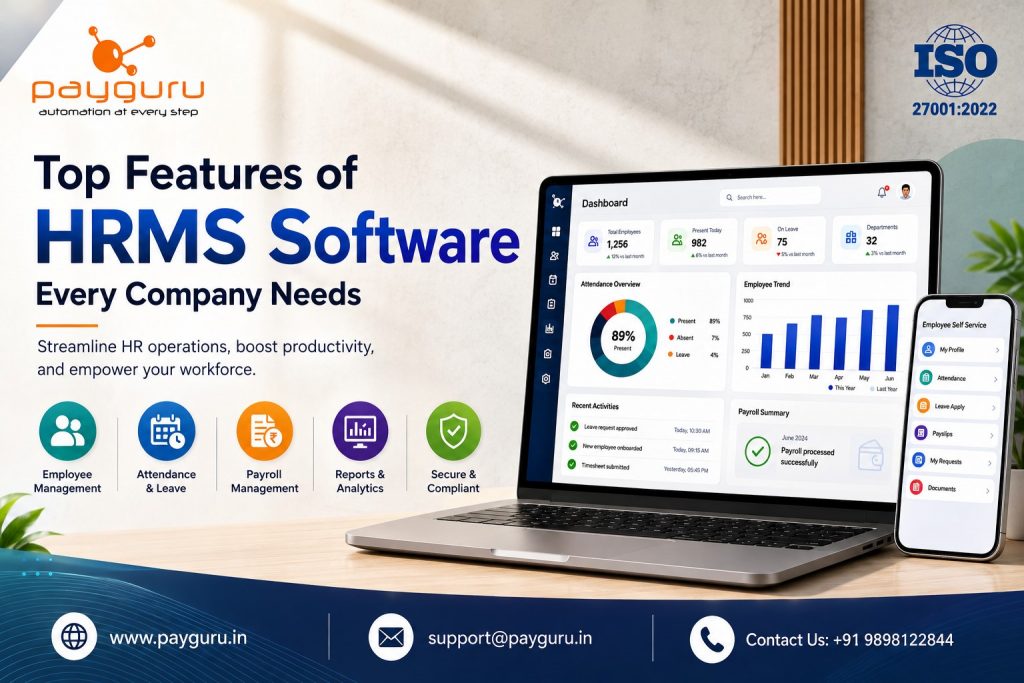
Human Resource Management has become increasingly complex as organizations manage larger workforces, multiple locations, hybrid teams, compliance requirements, payroll processes, and employee expectations. HRMS software provides a centralized way to manage these activities while reducing dependence on spreadsheets, paperwork, and disconnected systems.
The most effective HRMS software combines essential functions such as employee information management, payroll management, attendance tracking, leave management, employee self-service, compliance management, reporting and analytics, and workflow automation. For growing organizations, integration between these functions is particularly important because information can move between HR processes without repeated manual entry.
However, not every HRMS platform offers the same capabilities. Businesses should evaluate features according to their workforce size, industry, operating locations, HR policies, compliance requirements, and future growth plans.
This guide explains the top features of HRMS software, why they matter, practical use cases, important selection criteria, and the questions businesses should ask before implementing an HR management system.
HRMS software, or Human Resource Management System software, is a digital platform used to organize, automate, and manage employee-related processes.
Depending on the solution, an HRMS system can cover areas such as:
Instead of maintaining employee information across spreadsheets, emails, paper records, and separate applications, an HRMS platform can bring important HR information together in one centralized system.
For example, an employee’s attendance can be connected with leave records and payroll. When these processes are properly integrated, HR teams do not have to repeatedly collect and enter the same information.
Traditional HR processes can become difficult to manage as the organization grows. Employee information changes regularly, attendance data needs monitoring, leave requests require approval, payroll needs accurate inputs, and statutory requirements must be addressed.
A modern HRMS solution helps organizations create more structured processes.
The main advantages include:
The objective should not simply be to automate every HR task. The right system should make HR processes easier to manage while giving employees, HR professionals, managers, and business leaders the information they need.
One of the fundamental HRMS features is a centralized employee database.
The system should allow authorized users to manage important employee information, including:
A centralized employee information management system reduces the need to search through multiple files and spreadsheets.
It also creates a consistent source of employee data for other HR functions.
For example, when an employee’s department or salary changes, the information can be updated in the central employee record and used by connected HR processes.
Payroll management is one of the most important capabilities businesses should consider when selecting HRMS software.
A capable system should support processes such as:
For organizations operating in India, businesses should also evaluate support for applicable statutory requirements, such as PF, ESI, TDS, Professional Tax, and other relevant payroll obligations.
An integrated HRMS and payroll system can connect employee information, attendance, leave, and salary data, reducing the need for duplicate data entry.
PayGURU, for example, provides a dedicated payroll management solution with configurable salary structures, employee self-service, reporting, and support for several Indian statutory requirements.
Accurate time and attendance management is essential for organizations where working hours, shifts, overtime, or attendance directly affect payroll and workforce planning.
Useful features include:
A business with multiple locations may also need multi-location attendance management.
The important consideration is not simply whether the software records attendance. It should also be able to use attendance information in connected HR processes.
For example, attendance data can be linked with payroll calculations and leave records.
You can explore PayGURU’s Time and Attendance Management solution to understand how attendance tracking, biometric integration, employee self-service, and reporting can work together.
Manual leave tracking can create confusion when employees, managers, and HR teams maintain different records.
An effective leave management system should allow employees to:
Managers should be able to review and approve requests based on organizational policies.
The HR team should also have visibility into leave trends, employee balances, and organizational absence patterns.
A good HRMS system connects leave management with attendance and payroll so that approved leave information can flow into other relevant processes.
Employee self-service, commonly called ESS, is another essential HRMS feature.
Instead of contacting HR for every routine request, employees can access selected information and services themselves.
Depending on the platform, employees may be able to:
This can reduce repetitive HR queries while giving employees greater visibility into their own information.
For example, PayGURU’s employee self-service capabilities include leave applications, attendance validation, missing punch or time correction requests, shift information, document uploads, and access to payslips and reports.
For organizations that regularly hire employees, recruitment and onboarding capabilities can improve the transition from candidate to employee.
Important functions may include:
The goal is to ensure that employee information is captured correctly from the beginning.
A structured employee onboarding process also helps HR teams avoid repeatedly collecting the same information through emails and paper forms.
HR departments handle a significant amount of employee documentation.
An HRMS document management system can help organize documents such as:
Businesses should also look for document expiry reminders where applicable.
For example, PayGURU’s HRMS solution supports document upload and verification, along with reminders for certain expiring documents.
HR processes often involve multiple levels of approval.
A flexible HR workflow management system should support configurable approval processes for activities such as:
This is particularly useful for organizations with multiple departments or management levels.
Instead of relying on email chains, the HRMS can provide a defined workflow showing who needs to review and approve each request.
HR compliance management is particularly important for organizations operating in regulated environments.
The system should help HR teams organize compliance-related information and reports relevant to their business and jurisdiction.
For Indian organizations, businesses may need to consider support for areas such as:
HRMS software should not be treated as a substitute for professional legal or compliance advice. Businesses should verify that the software supports the specific requirements applicable to their organization.
Data becomes valuable when businesses can use it to make informed decisions.
A strong HR reporting and analytics system should provide visibility into areas such as:
Reports should ideally be exportable into commonly used formats such as Excel, PDF, or CSV.
Dashboards can also help managers identify important workforce information without manually combining data from several spreadsheets.
PayGURU’s HRMS and payroll solutions include reporting capabilities and dashboards designed to provide workforce and operational visibility.
HR systems contain sensitive information. Salary records, personal information, identity documents, attendance records, and other employee data should only be accessible to authorized users.
Therefore, HRMS data security should be a major selection criterion.
Look for capabilities such as:
A payroll administrator, HR executive, department manager, and employee should not necessarily have identical access.
Role-based permissions help organizations establish appropriate access according to responsibilities.
An HRMS should not operate as an isolated application if the organization already uses other business systems.
Useful HRMS integrations may include:
Integration becomes particularly valuable when information needs to move between departments.
For example, attendance information can feed into payroll, while employee master data can synchronize with other business applications.
PayGURU states that its payroll platform supports integrations with systems including SAP, Workday, and Tally, along with biometric and other data integrations.
Organizations with several offices, business entities, departments, or operational locations need more than a basic employee database.
Multi-company HRMS software can help centralize workforce information while maintaining appropriate organizational structures.
Important capabilities may include:
This becomes particularly important for enterprises and businesses expanding into new locations.
Every company does not operate with identical HR policies.
An effective HRMS platform should provide reasonable flexibility for configuring:
Customization should ideally be handled through configuration rather than requiring extensive development for every policy change.
Modern workforces may include employees working from different offices, locations, or remote environments.
Cloud-based HRMS software can provide authorized access to HR information through internet-connected devices.
Businesses should evaluate:
Cloud access can be particularly useful for organizations managing geographically distributed teams.
The difference between manual HR processes and a modern HRMS solution is primarily the way information is collected, processed, connected, and accessed.
With manual processes, HR teams may maintain separate spreadsheets for employee records, attendance, leave, and payroll. Information may then need to be copied between files.
With integrated HRMS software, these processes can operate through a centralized platform. Employee data can be connected to attendance, leave, payroll, reporting, and employee self-service.
For example, when an employee applies for leave through an HRMS, the approved information can be reflected in relevant attendance and payroll processes according to configured rules.
The key is not simply automation. Integration, accuracy, visibility, security, and workflow control are what make an HRMS valuable.
Before purchasing HRMS software, businesses should evaluate their actual requirements rather than selecting a system based only on the number of features.
Consider the following:
Implementing an HR management system can provide significant operational benefits, but organizations should plan the transition carefully.
Common challenges include:
The solution is to treat HRMS implementation as a business process project rather than simply installing software.
A practical implementation approach includes:
HRMS software is used to manage and automate employee-related processes such as employee records, payroll, attendance, leave, onboarding, compliance, reporting, and employee self-service.
The most important HRMS features generally include employee database management, payroll, attendance, leave management, employee self-service, workflow automation, compliance support, reporting, security, and integrations.
Yes. HRMS software for small businesses can help organize employee records, payroll, attendance, leave, and other HR processes. Businesses should select a solution based on their actual workforce requirements and expected growth.
An integrated HRMS payroll system can connect employee information, attendance, leave, salary structures, deductions, and other payroll inputs. This can reduce duplicate data entry and make payroll processing more structured.
Many modern HRMS platforms include an employee self-service portal where employees can view payslips, apply for leave, check attendance, submit requests, and access selected HR information.
Yes. Depending on the platform, HRMS software can integrate with biometric, RFID, face recognition, or other attendance systems. Businesses should verify device compatibility before implementation.
Security depends on the software provider and its configuration. Businesses should evaluate role-based access, authentication, permissions, backups, audit capabilities, and other data protection measures before selecting an HRMS.
Start by identifying your HR requirements, then compare essential features, integration capabilities, security, scalability, usability, reporting, implementation support, and total cost. A product demonstration or trial can also help stakeholders evaluate whether the system fits their workflows.
The right HRMS software can transform how a company manages its workforce by bringing employee information, payroll, attendance, leave, compliance, employee self-service, reporting, and workflows into a more connected environment.
However, the best HRMS is not necessarily the platform with the longest feature list. It is the solution that fits the organization’s workforce structure, policies, technology environment, compliance responsibilities, and future growth.
Businesses should therefore evaluate HRMS features based on practical requirements. Centralized employee data, payroll integration, attendance management, employee self-service, workflow automation, reporting, security, integrations, and scalability should all be considered during the selection process.
If your organization is evaluating an HRMS solution for payroll, attendance, workforce management, and employee operations, explore the PayGURU HRMS software to learn more about its features and capabilities.
You can also review the PayGURU payroll management solution for information about payroll automation, salary structures, statutory compliance, employee self-service, integrations, and reporting.
A well-selected Human Resource Management System is ultimately an investment in better processes, stronger workforce visibility, and more efficient HR operations.
Contact Us
Ready to streamline your HR and payroll operations? Get in touch with our team today to explore how PayGURU can help your business with a powerful, scalable, and easy-to-use HRMS solution.
Contact us now to schedule a demo or speak with our experts.