Managing payroll manually can be one of the most time-consuming and stressful tasks for any business. From salary calculations
 By Pay GURU
May 20, 2026
By Pay GURU
May 20, 2026
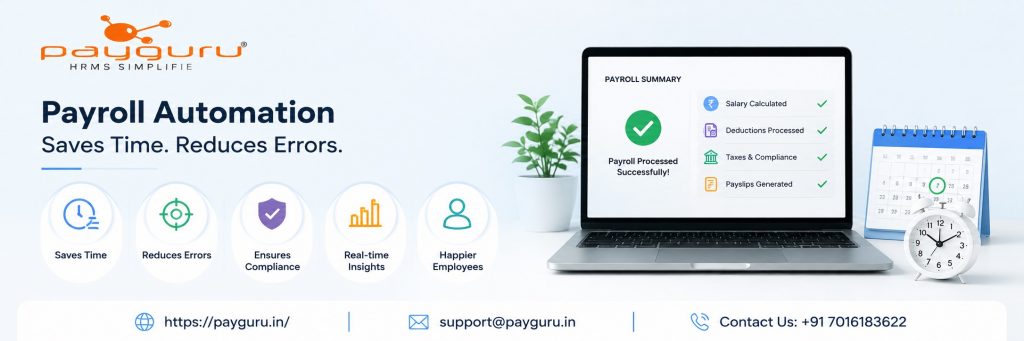
Managing payroll manually can be one of the most time-consuming and stressful tasks for any business. From salary calculations and attendance tracking to tax deductions and compliance updates, even a small mistake can create major problems for both employees and employers.
This is where payroll automation makes a huge difference.
Payroll automation helps businesses streamline salary processing, reduce manual work, improve accuracy, and ensure compliance — all while saving valuable time for HR and finance teams.
Payroll automation is the use of software to manage and process employee salaries automatically. Instead of handling payroll through spreadsheets or manual calculations, businesses use payroll software to automate tasks like:
With automation, payroll becomes faster, smoother, and far more reliable.
Manual payroll processing requires HR teams to calculate salaries, deductions, overtime, taxes, and bonuses individually for every employee. This process takes hours — especially for growing businesses.
Automated payroll software calculates everything instantly using predefined rules and attendance data. HR teams no longer need to spend days processing salaries every month.
Tracking attendance manually often leads to delays and confusion. Payroll automation integrates directly with biometric devices, attendance systems, and leave management tools.
Employee working hours, overtime, late entries, and leaves are automatically synced into payroll calculations, reducing administrative work significantly.
Creating payslips manually for every employee is repetitive and time-consuming. Payroll automation generates digital payslips instantly and distributes them automatically via employee portals or email.
This saves HR teams countless hours every payroll cycle.
Businesses must regularly comply with labor laws, PF, ESI, TDS, and other statutory requirements. Manual compliance management increases the risk of missing deadlines or filing incorrect information.
Payroll automation helps businesses stay updated with changing regulations and generates compliance-ready reports automatically.
Payroll software reduces dependency on spreadsheets and paperwork. HR teams can automate recurring tasks such as:
This allows HR professionals to focus more on employee engagement and business growth instead of administrative tasks.
Human errors in calculations can lead to underpayments, overpayments, or incorrect deductions. These mistakes affect employee trust and create unnecessary disputes.
Automated payroll systems use predefined formulas and rules to ensure accurate salary processing every time.
Incorrect PF, ESI, or TDS calculations can result in penalties and legal complications. Payroll automation minimizes compliance errors by automatically calculating statutory deductions based on current regulations.
Manual payroll processes often require entering the same information multiple times across different systems. This increases the risk of typing errors and inconsistencies.
Automation integrates attendance, payroll, and HR data into one centralized platform, reducing duplicate work and improving data accuracy.
Manual attendance tracking can easily lead to incorrect work hours, missed leaves, or overtime mistakes.
Integrated payroll software automatically captures attendance records, helping businesses avoid payroll disputes and salary discrepancies.
Payroll automation stores employee data digitally and securely, reducing the chances of lost files, unauthorized access, or outdated records.
As businesses grow, managing payroll manually becomes difficult and inefficient. More employees mean more calculations, more compliance responsibilities, and more room for mistakes.
Payroll automation helps businesses scale smoothly by providing:
For SMEs and growing companies, payroll automation is no longer optional — it’s essential for efficient workforce management.
When selecting payroll software, businesses should look for features like:
A reliable payroll solution should simplify HR operations while ensuring accuracy and compliance.
PayGURU Payroll Software helps businesses automate payroll processing, attendance management, compliance, and employee record management from one centralized platform.
With advanced HRMS and payroll automation features, PayGURU helps businesses:
Explore PayGURU and automate your payroll process with a smarter, faster, and more accurate HRMS solution.